Guideline 4.3 Spam Rejection: Why Apple Flagged Your App (and How to Fix It)
A 4.3 spam rejection means Apple's reviewer decided your app is either a near-duplicate of another app on your account, or a low-effort entry into a category already flooded with similar apps. Both readings fall under the same guideline number, but they require completely different fixes — and most rejection notices don't tell you which one you tripped.
If you just got the email, you're probably re-reading your app for the tenth time trying to figure out what "spam" means when you built something real. It's a fair reaction. Apple's language is vague by design, and 4.3 gets used as a catch-all when a reviewer isn't sure how else to categorize what they're seeing. The good news: 4.3 actually splits into two distinct sub-clauses, 4.3(a) and 4.3(b), and each one points to a different root cause. Confuse them and you'll waste a resubmission cycle fixing the wrong thing.
4.3(a) fires when Apple's review system flags your new submission as too similar to another app already live under your developer account — same core functionality, same structure, different skin. This is common with template-based builds, white-label products, and city-specific or niche variants of one underlying app. 4.3(b) fires for a different reason entirely: your app is fine on its own, but it's landing in a category — flashlight, horoscope, dating, wallpaper, simple habit tracker — that Apple already considers saturated with interchangeable, low-differentiation entries.
This article walks through what each sub-clause actually says, how to tell which one hit you, and what a real fix looks like for each. If you'd rather catch this before you submit, that's exactly what the App Store Preflight Kit is built for — it checks your metadata, screenshots, and app structure against the same risk patterns reviewers flag under 4.3, before you burn a review cycle finding out the hard way.
Key takeaways
- Guideline 4.3 splits into two distinct sub-clauses—4.3(a) "Spam" for near-duplicate apps within your own developer account, and 4.3(b) "Repackaged Content" for apps that saturate an already-crowded category—and each requires a different fix.
- A 4.3(a) rejection is fixed structurally by consolidating duplicate bundle IDs into one app with in-app purchase tiers instead of shipping separate "Free," "Pro," and city/school-specific variants of the same codebase.
- A 4.3(b) rejection requires proving genuine differentiation through repositioned metadata, functionally deep features, and distinct screenshots, since categories like flashlight, horoscope, habit-tracker, and QR-scanner apps face extra scrutiny by default.
- Reviewers rely on automated similarity checks against template fingerprints (Expo/React Native starters, Bubble, FlutterFlow, white-label shells), so even original apps built on common no-code or boilerplate tooling can get flagged.
- Appeals to the App Review Board only succeed with concrete evidence—feature comparisons, screenshots, or development history—while resubmitting with real product changes is usually faster and more reliable than appealing a correct rejection.
What Guideline 4.3 Actually Says
Apple's App Store Review Guidelines list 4.3 under "Design," and it reads:
4.3(a) Spam: "Don't create multiple Bundle IDs of the same app. If your app has different versions for different price tiers, uses in-app purchase to unlock features, or is offered under a free and paid model, it should be submitted as a single app. Also avoid piling on to a category that is already saturated by submitting multiple similar apps, as this makes it difficult for customers to discover new apps."
4.3(b): "Apps that duplicate apps already on the App Store, especially if there are more than a few of them, may be removed from the App Store. Spamming the store may lead to your removal from the Apple Developer Program."
The two clauses read like one continuous paragraph, which is exactly why most articles on this topic blur them together. In practice, App Review treats them as two separate failure modes with two separate triggers.
4.3(a): Multiple Bundle IDs, Same App
This clause is about your developer account, not your app in isolation. Apple's tooling compares new submissions against everything else live under your account — and sometimes against your dev history of rejected or removed apps too. It flags you when it sees:
- The same app resubmitted under a new Bundle ID after a previous rejection, instead of fixing and resubmitting the original
- A "lite" and "pro" version that should have been one app with an in-app purchase unlock, per the guideline's explicit instruction
- City, region, or client-specific clones of one white-label codebase (common with agency and freelance work)
- Multiple apps built from the same template with only branding swapped
The fix is structural, not cosmetic. If you have a free/paid split, merge into one app with IAP. If you're relaunching under a new Bundle ID to escape a rejection, stop — go back and fix the original submission instead. This is also where missing or misconfigured IAP metadata tends to compound the problem, since a free/paid split usually means you needed IAP structure you didn't build.
4.3(b): Spam and Saturated Categories
This clause doesn't care about your developer account — it cares about the category you're entering. Flashlight apps, fortune-telling and horoscope apps, simple habit trackers, wallpaper collections, basic dating apps, and QR scanners get extra scrutiny because Apple's reviewers have seen thousands of near-identical entries in each of these categories. If your app looks like a weekend template with a new icon, it reads as spam even if you built every line yourself.
The fix here is differentiation you can point to in your app description and screenshots: a genuinely distinct feature set, a specific underserved use case, or functionality that a template clone couldn't replicate. Generic "coming soon" screens, placeholder content, or copy that reads like every other app in the category makes this worse, not better — check your sample report for what reviewers actually flag as low-effort signals.
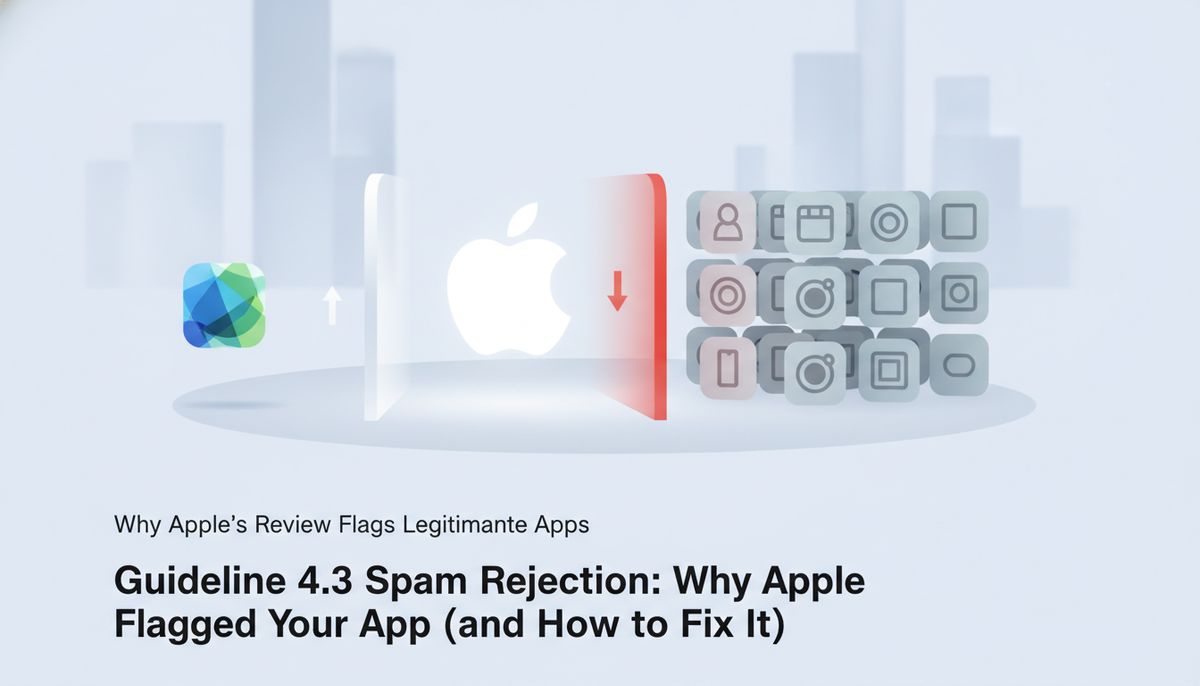
Why Apple's Review Flags Legitimate, Original Apps
Guideline 4.3 was written to stop app farms — accounts pumping out dozens of near-identical apps to flood the charts. But the review process that enforces it is largely automated pattern-matching against past submissions, and that pattern-matcher doesn't know the difference between a cloned template and a genuinely original app that happens to share a UI skeleton with thousands of others.
Here's the mechanism: App Review runs new submissions through a similarity check against Apple's database of previously reviewed apps. If your app's binary structure, screen flow, or asset fingerprint scores high against known template families — Expo/React Native starter kits, white-label commerce shells, Bubble or FlutterFlow exports — it gets flagged for manual review with a 4.3 note attached. The reviewer who then looks at it often has minutes, not hours, to judge "original" versus "template." If your onboarding flow, permission prompts, and settings screen look like every other app built from the same boilerplate, you lose that judgment call even if your core feature is completely different.
This is why the developer forums are full of frustrated devs posting some version of: "My app has a real backend, real users, months of work — how is this a spam rejection?" The answer isn't that Apple doesn't believe you. It's that the automated layer never got far enough to see your differentiation before flagging the submission, and the appeal has to do the work of surfacing it explicitly.
This hits indie developers using no-code and low-code tooling hardest, because the tooling itself is the risk factor. A Bubble app, an Expo starter, a Shopify theme — these give you speed, but they also give reviewers a fingerprint to match against every other app built the same way. The fix isn't switching tools. It's knowing exactly which surface area triggers the flag and making sure your submission doesn't read as a template with your logo swapped in.
That's what the next section covers: the specific, checkable triggers behind most 4.3 spam rejections, so you can audit your own app before Apple does it for you.
7 Things That Actually Trigger a 4.3 Rejection
Run your app against this list before you submit. Each item is something a reviewer — or the automated similarity check ahead of them — can verify in under two minutes.
Near-identical apps in your own portfolio
If your developer account has multiple apps sharing the same layout, feature set, and just a different color scheme or city name, Apple treats that as a portfolio-level signal, not a per-app one. Two "directory" apps with swapped logos will get both flagged, even if each one individually seems fine.
Template or boilerplate-built apps with no unique feature
Starter kits speed up development, but they also produce a recognizable fingerprint: same file structure, same permission dialogs, same screen order. This is especially common with Expo and React Native starter apps, where permission descriptions and onboarding screens are frequently copy-pasted verbatim from the template docs — reviewers have seen that exact camera-permission string hundreds of times. If your app doesn't do something the template doesn't already do, expect a flag.
Thin entries in saturated categories
Habit trackers, flashlight apps, QR scanners, calculator variants — categories with thousands of existing entries get extra scrutiny. A functional-but-basic app in one of these categories reads as spam by default; you need a clear reason yours belongs.
Reused or generic screenshots and metadata
Stock screenshot templates, generic "Track your goals" descriptions, and keyword-stuffed subtitles are the fastest way to look like a farm output. If your metadata could describe fifty other apps, it will get compared against fifty other apps.
Minimal differentiation between multiple SKUs instead of one app with IAP
Publishing "MyApp Free," "MyApp Pro," and "MyApp Plus" as three separate listings instead of one app with tiered in-app purchases is a classic 4.3 trigger. Apple wants one app with proper monetization, not a copy-pasted binary for each pricing tier — see how this connects to missing IAP metadata rejections if you're using RevenueCat for tiers.
No unique value proposition in your app description
If a reviewer can't identify what your app does differently from the ten similar apps already in the Store, within the first two lines of your description, that's a gap you're leaving for them to fill in with suspicion.
Signs of app-farm behavior (rapid multi-app publishing from one account)
Submitting several apps in a short window from the same account, especially with overlapping codebases, triggers account-level review, not just app-level. Slow down your release cadence if you're shipping multiple apps from one developer account.
Reading Your Rejection: Is It 4.3(a) or 4.3(b)?
The fix depends entirely on which sub-clause Apple cited, and the two fixes are not interchangeable. Merging bundle IDs won't help a saturation rejection. Diversifying your feature set won't help a spam rejection. Read the Resolution Center message closely before you touch anything.
4.3(a) — "Spam." The message usually says something like "your app is a duplicate of another app you submitted" or references minimum functionality alongside near-identical binaries. Apple is telling you it found two or more apps in your account (or comparable to another developer's apps) that share the same core code and UI, differentiated only by data — team name, city, school colors, a swapped logo. The reviewer is looking at your account's app list, not just the one binary in front of them.
4.3(b) — "Repeated submissions objectively similar to other apps in the App Store." This message reads differently: it flags your app as too close to a pattern already saturating a category — another generic tip calculator, another basic habit tracker, another QR scanner with a fresh coat of paint. This isn't about your account; it's about the App Store as a whole. Apple thinks the category doesn't need another one of these, or that yours doesn't add anything a dozen existing apps don't already do.
The wrong-fix trap is common because both rejections use the word "similar" and both cite Guideline 4.3. Developers see "similar" and assume consolidation is the answer — then resubmit an unchanged single app and get rejected again, because a 4.3(b) rejection was never about duplicate bundle IDs in the first place.
Quick decision path
- Does the message mention "other apps in your account" or "duplicate" alongside a reference to multiple submissions from you specifically? → 4.3(a). Go consolidate.
- Does the message describe your app's category or compare it to apps generally available on the Store, with no mention of your account or other submissions? → 4.3(b). You need genuine differentiation — new functionality, not new plumbing.
- Unsure? Check App Store Connect's Resolution Center for the exact guideline sub-letter Apple cites — it's usually printed verbatim, and misreading it here is the single most common reason developers waste a resubmission cycle. If you want to see what a clean, unambiguous submission review looks like before you resubmit, the sample report shows the format we flag both risks in.
Get this classification wrong and you'll burn your one resubmission on the wrong fix — and Apple's second rejection message rarely gets more specific than the first.
Fixing a 4.3(a) Rejection: Consolidate Your Bundle IDs
If Apple flagged you for 4.3(a), the fix is structural: stop shipping near-identical binaries under separate bundle IDs and consolidate into one app that handles variation through data, not duplication.
Step 1: Pick the surviving bundle ID. Choose the app with the most installs, reviews, or ranking history — that's the one you keep live. The others get pulled from sale (not deleted outright; you'll need the binaries for reference during merge QA).
Step 2: Move variant content behind in-app purchase or in-app selection. If you built separate apps for each sports team, university, or city, that's exactly the pattern 4.3(a) targets. Instead, ship one binary with a picker or onboarding flow that lets the user select their team/school/location, and gate premium variants behind IAP rather than a separate download. A single "City Guide" app with a location switcher and unlockable city packs reads as one legitimate product; twelve nearly-identical "[City] Guide" apps read as spam, even if each one is genuinely useful to its narrow audience.
Step 3: Handle existing users before you pull anything. Don't yank the losing bundle IDs from sale until you have a migration path — at minimum, a message in the old app's update notes pointing users to the new one, and ideally a server-side redirect of their data/entitlements if the apps shared a backend. Existing subscribers on the old bundle ID need their purchases honored somewhere; if you're using RevenueCat or StoreKit directly, plan the entitlement transfer before submitting the consolidated app, not after.
Step 4: Get the merged app's metadata and IAP config right the first time. This is where a lot of consolidation attempts stall. You're often introducing in-app purchase tiers for the first time, adding new privacy nutrition label entries for the data you now collect across a broader user base, and updating screenshots to reflect the picker/selector flow. Submit a merged app with an IAP product that isn't fully configured, or a privacy label that doesn't match the new data collection, and you'll trade a 4.3(a) rejection for a metadata rejection — see RevenueCat missing metadata App Store rejections for the specific fields reviewers check on IAP-heavy submissions.
Budget more than one review cycle for a consolidation. Apple often re-checks that the "spam" apps are actually gone from sale, not just that the surviving app looks legitimate.
Fixing a 4.3(b) Rejection: Prove Genuine Uniqueness
A 4.3(b) rejection means Apple's reviewer looked at your app and saw a clone with a different coat of paint. The fix isn't cosmetic — it's repositioning what your app actually does, then proving it in every artifact a reviewer touches.
Here's the pattern. Say you built a niche habit tracker for competitive powerlifters — sets, reps, plate math, PR alerts. If your metadata reads "track your habits and build routines," you look like the 200th habit tracker in the category, and the niche reads as a skin, not a purpose. The fix: reposition the primary problem as barbell progression tracking, with general habit tracking as a secondary feature. Your description should lead with "Track squat, bench, and deadlift progression with auto-calculated plate loading and PR alerts" — not generic wellness language. The niche becomes the headline, not an afterthought.
Feature depth matters as much as framing. Apple's reviewers check whether the "different" features are real or decorative. A single extra settings toggle won't survive scrutiny. You need functional depth: for the powerlifting example, that's a working 1RM calculator, a plate-math engine, program templates (5/3/1, Starting Strength), and progression logic that produces different output than a generic tracker would. If a feature only exists to pad the description, cut it — reviewers notice filler faster than they notice substance.
Metadata and screenshots need to tell the same story. Rewrite your App Store description around the specific problem you solve, not around category-generic benefits. Screenshots should visually differentiate from competitors in your space — show the plate-math UI, not a generic checklist screen that could belong to any tracker. If your screenshots look interchangeable with five other apps in a side-by-side, so will your app. Check your copy and structure against a sample report before you resubmit — it shows exactly what reviewers flag when originality claims don't hold up.
One more thing reviewers use as a low-effort tell: incomplete account and data handling. An app that lets users sign up but has no in-app account deletion path, or that collects data without a clear deletion mechanism, signals a rushed build — the same signal as a templated clone. This compounds a 4.3(b) rejection because it reinforces the reviewer's suspicion that you didn't invest real effort in the app. If you're on Expo or React Native and haven't wired this up yet, see App Store account deletion on Expo for the implementation Apple expects under Guideline 5.1.1(v). Get this right before you resubmit, not after another rejection.
Appeal or Resubmit? What Actually Works
Appeal only when you have a factual case for misclassification — not a feeling that your app is "obviously different." The App Review Board responds to evidence: a side-by-side comparison showing your feature set diverges meaningfully from the app Apple compared you to, screenshots demonstrating original UI, or documentation of a development history that predates the "template" they think you copied. If your case is "I worked hard on this," that's not evidence — that's a plea, and pleas get denied.
Resubmission is the right move when the rejection is accurate. If your app genuinely reuses a common template with minor reskinning, no appeal will change the reviewer's read — because they're correct. In that case, spend your time on the product change described above: repositioning, feature depth, metadata, screenshots, account deletion. Then resubmit as a new build. This is the more common path for indie developers, and it's usually faster than a drawn-out appeal that ends in the same rejection anyway.
Timelines: appeals to the App Review Board typically get a response within a few business days, sometimes faster if your evidence is clear-cut. But a denied appeal costs you that time and you still have to fix the app afterward — so don't appeal as a stalling tactic. If you're genuinely unsure whether your case is strong, resubmitting with real changes is almost always the safer bet than gambling a week on an appeal you might lose.
Writing the appeal itself: be specific and evidence-based, not defensive. State the guideline cited, explain precisely why it doesn't apply, and attach concrete proof — a feature comparison table, a git history screenshot, a link to your privacy policy if data handling was part of the confusion. Skip the generic "please reconsider, I worked really hard" framing. Reviewers read hundreds of appeals a week; the ones that get traction read like a legal brief, not a plea for sympathy.
The stakes go beyond the single app. Guideline 4.3 violations are tracked per developer account, not just per app. Repeated spam rejections — even across different apps — can trigger account-level review, and Apple has terminated developer accounts for pattern-of-spam behavior. If you're running multiple apps from one account, a 4.3(b) rejection on one is a signal to audit the others before Apple does it for you. Treat every 4.3 rejection as an account-health issue, not just a single-app blocker, and you'll avoid the scenario where one weak app takes down your whole portfolio.
Build a Pre-Submission Spam Checklist Before You Resubmit
Don't wait for a second rejection to find out what you missed the first time. Every point in the 7 triggers list above is something you can check yourself before you hit resubmit — bundle ID uniqueness, template reuse, placeholder content, generic naming, thin functionality, duplicate binaries, and metadata that doesn't match the build. Walk your app against each one individually. If you can't clearly say "no" to all seven, you're not ready to resubmit — you're just rolling the dice on the same rejection with a different timestamp.
This is where most solo developers get it wrong: they treat the rejection as a one-off obstacle instead of a signal that their pre-submission process has a gap. A single fix to satisfy the specific line in your rejection notice doesn't mean the underlying issue is gone. Apple's review team sees your app fresh, with no memory of your explanation — so the build itself has to hold up on its own.
If you'd rather not build this checklist from scratch, that's exactly what the App Store Preflight Kit is for. It's a Markdown-first skill pack that runs your app against the same categories of risk Apple's reviewers check for — spam signals, metadata mismatches, privacy declarations, IAP configuration — before you submit, not after you're rejected. You point it at your app, and it flags what a reviewer is likely to flag.
Want to see what that actually looks like before you commit to anything? Check the sample report. It shows the exact format and level of detail you'd get on a real submission — not a marketing mockup, but a genuine example of the kind of findings that catch a 4.3 risk before Apple does.
Every hour you spend guessing whether your metadata or bundle structure will trigger a spam flag is an hour Apple's review team could spend confirming it for you, with a 24–48 hour wait attached. Run the check yourself first. Get the Preflight Kit and submit with confidence instead of hope.
Frequently asked questions
What is Guideline 4.3 on the App Store?
Guideline 4.3 is Apple's spam clause: it lets a reviewer reject your app if it's a repackage, clone, or "template-feeling" duplicate of something already on the Store — including your own other apps. It's not about broken functionality. It's a judgment call by the reviewer on originality and value, which is why the rejection notice is often vague. Apple wants each listing to represent a distinct app, not the same shell wrapped around different content or a slightly different skin.
What's the difference between Guideline 4.3(a) and 4.3(b)?
4.3(a) is "Spam" — apps that are near-duplicates of other apps on the Store, yours or a competitor's, with minor cosmetic changes. 4.3(b) is "Repackaged Content" — apps that just wrap a website, RSS feed, or PDF in a native shell with no added functionality. Both trigger the same generic rejection language, but the fix differs: 4.3(a) means differentiate your catalog, 4.3(b) means add real native functionality beyond content display.
Can I appeal a Guideline 4.3 spam rejection?
Yes, through App Review Board resolution or a note to the reviewer in Resolution Center — but 4.3 appeals rarely overturn a decision on argument alone. You need evidence: a description of what functionally distinguishes your app from the one(s) the reviewer is comparing it to, screenshots showing unique features, or a corrected metadata submission if the flag was a false-positive template match. Arguing "it's not a clone" without specifics almost always gets the same rejection on resubmission.
Why did Apple reject my app for spam when it isn't a clone?
Reviewers use pattern-matching against your developer account and known template signatures, not a manual side-by-side comparison. Common false-positive triggers: reusing a boilerplate UI kit or no-code template with default screens still visible, submitting several similar utility apps under one account, or metadata (title, icon, screenshots) that closely resembles another Store listing. The fix is usually making the app's unique value obvious in the binary and the listing, not proving intent.
Does building with a template or no-code tool increase my risk of a 4.3 rejection?
Yes. Reviewers see the same template shells repeatedly, so unmodified layouts, stock icon sets, and default onboarding screens read as spam signals even if your content is original. It doesn't disqualify you — plenty of template-built apps pass — but you need to visibly customize the UI, remove any template branding or placeholder text, and make sure your icon and screenshots don't match other apps built on the same base.
How many resubmissions is normal after a 4.3 rejection?
One to two, if you address the actual differentiation gap instead of resubmitting with only metadata tweaks. Developers who resubmit unchanged, hoping for a different reviewer, often see 3+ rejections and account-level scrutiny. Read the rejection notice for any specific app name comparison, fix the underlying originality or repackaging issue, and document what changed in your reviewer notes before resubmitting.