Encryption export compliance is the App Store Connect question that asks whether your app uses encryption and, if so, whether it qualifies for a US export exemption — Expo apps aren't automatically covered just because Expo handles TLS under the hood. Every time you submit a build, Apple asks you to answer this before it goes to review, and most Expo developers hit it for the first time mid-submission with no idea what it's actually asking.
It's not a formality. Answer it wrong — or leave the config unset and get prompted manually on every upload — and you're looking at review delays, a missing compliance document that blocks release, or in the worst case a rejection tied to Guideline 2.1 for incomplete submission info. If you've ever wondered why your build shows a "Missing Compliance" badge in App Store Connect after an otherwise clean upload, this is why.
This guide covers three things: what the export compliance question is actually asking (and why it exists), exactly how to set ITSAppUsesNonExemptEncryption in your Expo config so you're not prompted on every build, and the mistakes that trip up Expo developers specifically — including the widespread assumption that Expo or EAS Build handles this for you. It doesn't. For a broader pre-submission checklist beyond encryption, the App Store Preflight Kit walks through the other rejection triggers reviewers flag most — you can see what that looks like in a sample report.
Key takeaways
- Answering "yes, encryption" but "no exemption" isn't required for standard HTTPS/TLS usage — nearly all Expo apps qualify for the mass-market exemption under category 5D002 without touching custom crypto.
- Expo and EAS Build do not auto-generate
ITSAppUsesNonExemptEncryption— the key must be set manually underios.infoPlistinapp.jsonorapp.config.js, or App Store Connect will prompt for it on every single submission. - Answering "false" is correct for apps using only standard networking (fetch/axios, Firebase, Supabase, RevenueCat, expo-secure-store) since these rely on OS-level or TLS encryption that Apple classifies as exempt.
- A mismatch between your
Info.plistdeclaration and a previously-submitted manual answer in App Store Connect creates inconsistent compliance data across builds, which is a known trigger for manual review delays. - Distributing in France requires a separate declaration to ANSSI independent of Apple's export compliance answer, though most apps using only standard TLS qualify for France's simplified exemption too.
What Export Compliance Actually Means for Expo Apps
Export compliance is a US federal requirement, not an Apple policy. It comes from the Export Administration Regulations (EAR), enforced by the US Department of Commerce's Bureau of Industry and Security. Any app that uses encryption and gets distributed internationally counts, legally, as an export of encryption technology — and the US government requires a declaration before that export happens. Apple is the intermediary that collects your answer, but the obligation is yours, not Apple's.
This is worth separating clearly from App Review Guidelines. When your app gets rejected for a broken IAP flow or a misleading screenshot, that's Guideline territory — Apple's own rules about app quality and behavior. Export compliance sits outside that. You can pass every App Review Guideline and still get blocked at the export compliance step, because it's checked separately, by a different system, for a different reason.
The two-question flow in App Store Connect
When you submit a build, App Store Connect walks you through this sequence:
- Does your app use encryption? If your app only uses HTTPS for standard networking (API calls, analytics, auth) and does nothing beyond what's built into iOS, the honest answer is usually yes — HTTPS/TLS counts as encryption use, even though you didn't write any crypto code yourself.
- Does your app qualify for an exemption? Most apps that use only standard, publicly available encryption (HTTPS, TLS, iOS Keychain, standard auth libraries) qualify for the exemption under category 5D002 / mass-market software provisions. If it does, you self-classify and move on. If it doesn't — because you built or included custom, non-standard encryption algorithms — you may need to file for a export classification (CCATS) or annual self-classification report with BIS before distributing.
Get this declared once in your app config correctly, and ASC stops asking on every build. Get it wrong, and you'll either see the badge appear again on your next upload or, worse, submit a declaration that doesn't match what your app actually does.
Why this exists: US export law, not App Review policy
The exemption categories exist because the US government doesn't want to require a full export license for every app that calls an HTTPS endpoint — that would be unworkable at App Store scale. So there's a broad exemption for standard, publicly available encryption used only for authentication, data protection, or copy protection. Almost every Expo app qualifies here without touching custom crypto. But "almost every" isn't "every," and Apple doesn't verify your answer for accuracy — it takes your declaration at face value and holds you responsible if it's wrong. That's a legal filing, not a checkbox for Apple's benefit.
Where Expo differs from a bare React Native or native Xcode project
In a native Xcode project, you set ITSAppUsesNonExemptEncryption directly in Info.plist and Xcode bakes it into the binary — no prompt at upload time. Expo-managed and EAS Build projects still produce that same Info.plist under the hood, but because Expo generates it from your config at build time, the key isn't there unless you put it there yourself.
This is where the "Expo handles it for me" myth comes from. Expo handles a lot of native configuration automatically — permissions strings, icons, entitlements — so it's a reasonable assumption that it handles this too. It doesn't, by default. If you don't set the key in app.json or app.config.js, EAS Build ships a binary with no declared answer, and App Store Connect prompts you manually on every single submission until you fix it at the source. (The same "Expo doesn't auto-generate this for you" gap shows up elsewhere in Expo App Store submissions — see how it plays out for permission usage descriptions.)
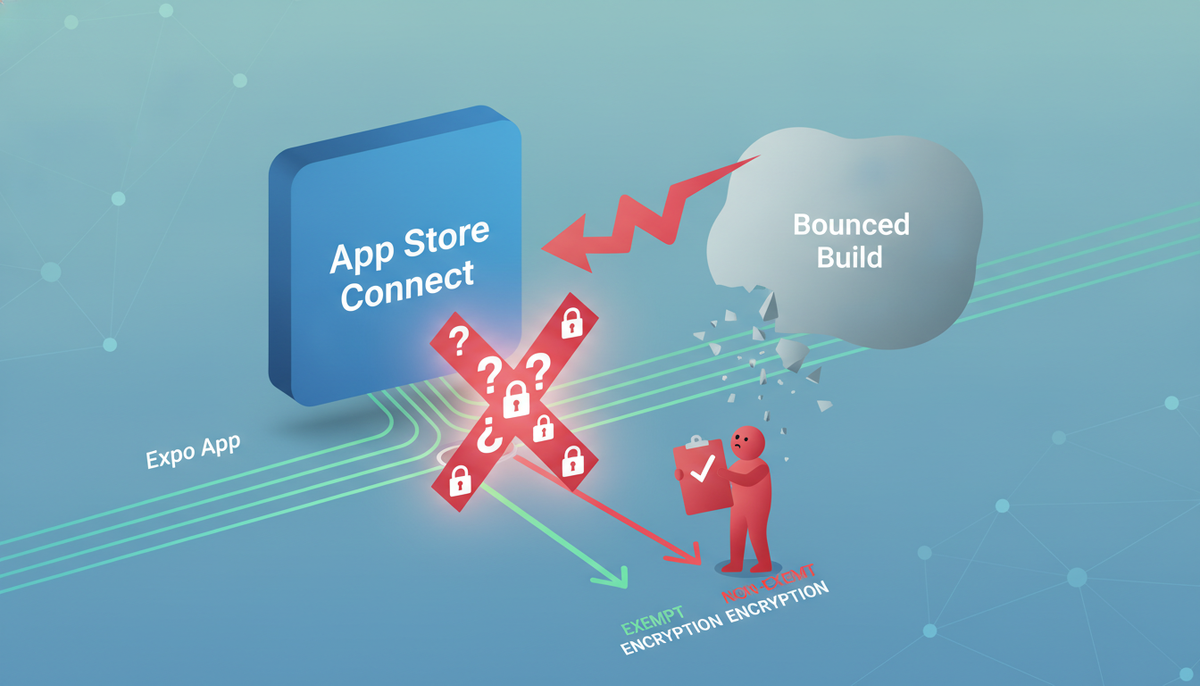
Does Your Expo App Use "Non-Exempt" Encryption?
Most Expo apps qualify as exempt and this is a five-minute check, not a legal review. Apple's export compliance question on every build boils down to one thing: are you doing anything cryptographic beyond standard HTTPS?
The default: standard HTTPS/TLS is exempt
If your app talks to APIs over https:// and nothing else, you're exempt under category 5D002 / Note 2 (mass-market exemption). This covers the vast majority of Expo apps:
fetch()oraxioscalls to your own backend- Firebase Auth, Firestore, and Cloud Functions
- Supabase (Postgres over TLS, auth tokens)
- RevenueCat SDK calls for subscriptions
- Expo's own modules (
expo-secure-store,expo-auth-session) — these use OS-level keychain encryption, which Apple also treats as exempt
If that list describes your app, set ITSAppUsesNonExemptEncryption to false and move on. Don't overthink it — Apple isn't asking whether your app touches encryption at all, since literally every app does via TLS. It's asking whether you've added anything beyond that.
Expo/RN libraries and services that can push you into non-exempt territory
A handful of common additions do change your answer:
- Custom crypto implementations — anything using
crypto-js, hand-rolled AES/RSA, or a proprietary encryption scheme you wrote for local data protection - End-to-end encrypted chat or messaging — libraries like
libsignal, Matrix SDKs, or any E2EE layer where you (not Apple, not the OS) manage the keys - VoIP with custom encryption — if you're building calling features with your own SRTP key exchange rather than relying on a vetted, standard implementation
- Blockchain/wallet libraries — many crypto-wallet SDKs bundle non-standard signing and encryption that Apple flags as non-exempt
This is also where a lot of Expo developers get tripped up by an unrelated config surface — encryption declarations live in Info.plist, but so do a dozen other App Store review triggers, like the permission strings covered in our Expo App Store permission description guide. Reviewers check both areas in the same pass, so it's worth auditing your infoPlist block for accuracy across the board, not just the encryption key.
When you actually need a French export compliance declaration
This is the part that catches people off guard. If your app uses any encryption (even the exempt kind) and you distribute in France, French law requires a separate declaration to ANSSI (Agence nationale de la sécurité des systèmes d'information) — independent of what you tell Apple.
In practice: if App Store Connect shows France in your distribution territories and you answer "yes, encryption, but exempt," Apple may prompt you to confirm you've filed (or are exempt from filing) the French declaration. Most indie apps using only standard TLS qualify for the simplified exemption and don't need to file anything — but if you're shipping custom or E2EE crypto and selling in France, check the ANSSI requirements before you submit, not after a rejection.
Setting ITSAppUsesNonExemptEncryption in Your Expo Config
Once you know your answer, get it into the build correctly. The failure mode here isn't picking the wrong value — it's setting the right value in a spot that never makes it into the compiled app.
Adding it to app.json / app.config.js under ios.infoPlist
In app.json:
{
  "expo": {
    "ios": {
      "infoPlist": {
        "ITSAppUsesNonExemptEncryption": false
      }
    }
  }
}
Or in app.config.js if you're computing config dynamically:
export default {
  expo: {
    ios: {
      infoPlist: {
        ITSAppUsesNonExemptEncryption: false,
      },
    },
  },
};
The semantics are literal, not fuzzy:
false— your app is exempt (standard HTTPS/TLS only, or no encryption at all). This is correct for almost every Expo app.true— your app uses non-exempt encryption and you accept responsibility for whatever export declarations that requires.
Setting true when you don't need to isn't "safer" — it triggers the export compliance questionnaire on every submission and can require documentation you don't actually have. Set it to match reality.
How this flows through an EAS Build
EAS reads infoPlist values at prebuild time and writes them directly into the generated Info.plist inside your .ipa. This happens during the expo prebuild step that EAS runs internally (even for managed workflow apps that don't have a checked-in ios/ folder), so there's no manual Xcode step required — but it also means a typo in the key name (ITSAppUsesNonExemptEncryption is easy to fat-finger) fails silently. Expo won't error on an unrecognized infoPlist key; it just gets ignored, and your build ships without the declaration you thought you set.
The same applies if the key ends up nested wrong — for example under plugins config instead of directly in ios.infoPlist. There's no schema validation catching this for you at build time.
Verifying it landed in the built Info.plist before you submit
Don't assume — check the compiled output. After an EAS Build, download the .ipa and inspect it directly:
unzip -p YourApp.ipa Payload/YourApp.app/Info.plist | plutil -convert xml1 -o - -
Search the output for ITSAppUsesNonExemptEncryption and confirm both the key name and boolean value match what you set in app.json.
There's a second failure mode worth flagging separately: if you've ever manually answered the export compliance questionnaire inside App Store Connect (the popup that appears after uploading a build), that answer can persist independently of your Info.plist key. If the two disagree — Info.plist says false but you previously clicked "yes" in ASC, or vice versa — you get inconsistent compliance data across builds. Once you set the key in app.json, treat it as the source of truth and stop answering the ASC questionnaire manually; let the Info.plist value drive it. If you've distributed builds before adding the key, double-check ASC isn't holding a stale manual answer from an earlier submission.
If you want a second set of eyes on this and the twenty other places Expo config quietly breaks App Store review, the Preflight Kit's sample report shows exactly what a pre-submission scan catches — including infoPlist mismatches like this one.
Walking Through the App Store Connect Compliance Questionnaire
Here's what actually happens when you hit submit. Whether you're pushing a new build to TestFlight or submitting for App Review, App Store Connect stops you with an export compliance questionnaire before the build finishes processing. It's not optional and it's not skippable — Apple ties it to every build, every time.
The first question is blunt: "Does your app use encryption?" If you answered this correctly in your Expo config via ITSAppUsesNonExemptEncryption (or the ios.config.usesNonExemptEncryption field, depending on your EAS setup), App Store Connect will often auto-populate this based on your Info.plist. If it's missing, you'll answer manually, and you need to get it right — not "whatever gets me through fastest."
If you say yes, a second layer of questions kicks in: does your app qualify for any of Apple's standard exemptions (HTTPS-only network calls, encryption limited to authentication, or encryption exclusively for securing local data)? Most Expo apps using standard HTTPS APIs and nothing custom qualify for the exemption and can answer through the sub-questions without triggering extra paperwork. If your app uses proprietary or non-exempt encryption — a custom VPN, non-standard crypto for chat, anything outside what Apple's HTTPS/authentication/local-data exemptions cover — you're flagged for the annual self-classification report, a filing that goes to the U.S. Bureau of Industry and Security, separate from anything in App Store Connect itself.
Here's the part that trips people up: consistency across builds matters as much as correctness on any single build. If you answer "no encryption" on one build and "yes, exempt" on the next, with no code change to explain the shift, that inconsistency is a known trigger for manual review delays. App Review's systems track your compliance answers build over build. A flip-flop reads as either a mistake or an attempt to game the process, and either way it slows you down.
If a build gets flagged, the rejection detail shows up in the Resolution Center, attached to the specific build in your version's activity log in App Store Connect — not buried in an email, but sitting right next to the build itself. It typically references the specific compliance answer that conflicted and asks you to confirm or correct your export compliance documentation before the build can move forward. Read it verbatim before you resubmit; guessing at what changed wastes another review cycle.
The fix is procedural, not clever: decide your app's encryption classification once, encode it correctly in app.json or app.config.js, and let every subsequent build inherit that same answer unless your actual encryption usage changes. If you want a second set of eyes on whether your current config matches what your app actually does, that's exactly the kind of check the App Store Preflight Kit runs before you submit.
Where Export Compliance Mistakes Compound With Other Rejections
Export compliance rarely sinks a submission by itself. In practice, it shows up as one line item in a rejection that also flags two or three other things — because the same rushed submission that got the encryption question wrong usually got other boilerplate details wrong too.
The most common pairing is missing IAP or subscription metadata. If your Expo app uses RevenueCat for subscriptions, App Review checks that your subscription terms, pricing, and required disclosures are present and match what's actually configured in App Store Connect — a completely separate check from export compliance, but one that fails for the same underlying reason: metadata treated as an afterthought instead of a submission requirement. The specifics of what Apple expects here, and where RevenueCat setups typically fall short, are covered in the guide to RevenueCat missing metadata on the App Store.
The second common pairing is account deletion. Guideline 5.1.1(v) requires apps that support account creation to offer in-app account deletion, not just a "contact support to delete your account" workaround. Expo apps that bolt on auth late in development frequently ship without this, and reviewers check for it in the same pass where they're verifying your encryption answers and your IAP flow. If you haven't audited this yet, the Expo account deletion guide walks through what Apple actually wants to see and how to wire it into an Expo app without a custom backend detour.
The pattern here is worth internalizing: App Review doesn't process your submission one guideline at a time and stop at the first failure. A reviewer works through metadata, permissions, IAP configuration, account management, and encryption compliance in a single pass, and any of them can trigger a rejection. If you fix your encryption answer and resubmit without checking the other two, you're not fixing your submission — you're trading one rejection for the next one in line, a week later.
The efficient move is to audit all three before you submit, not after each rejection. Check your export compliance answer, your RevenueCat/IAP metadata, and your account deletion flow in the same sitting. It's the difference between one submission cycle and three, and on a two-person team, that's the difference between shipping this week and shipping next month.
A Pre-Submission Export Compliance Checklist
Export compliance mistakes are almost always process failures, not judgment calls. You know whether your app uses encryption; you just forget to make the paperwork match reality before you tap submit. Run this list on every build before it goes to App Store Connect.
1. Confirm ITSAppUsesNonExemptEncryption is set in app.json, not left to the default. Check the ios.infoPlist block in your Expo config. If the key is missing, Apple treats it as unset and asks anyway at submission — but a missing key on a CI-built archive can also produce inconsistent answers across builds if different people submit from different machines. Set it explicitly, every time, in version control.
2. Confirm the config value matches what you'll click in the compliance questionnaire. This is the single most common cause of the "why is my export compliance value wrong" thread on Expo forums: app.json says false, the questionnaire in App Store Connect says otherwise (or vice versa), and now you've got a mismatch on record. Before you submit, open both side by side and confirm they agree.
3. Confirm whether the French declaration applies to you. If your app uses non-exempt encryption and you distribute in France, you may owe a separate filing to ANSSI beyond the U.S. self-classification report. Most CRUD apps using standard TLS are exempt from this, but if you've added custom crypto, check before you assume you're clear.
4. Confirm your permission strings and IAP metadata haven't drifted. Export compliance rejections rarely travel alone — reviewers who bounce a build for a mismatched encryption answer often also flag stale NSCameraUsageDescription-style strings or missing subscription metadata in the same pass. If you're touching app.json for encryption anyway, verify your permission description strings and RevenueCat metadata are still accurate for what the current build actually does.
Want to see what a full pre-submission check looks like against a real build, encryption answer included? The sample report shows exactly this kind of item-by-item pass — what gets flagged, what gets marked clear, and why.
Run the Full Check Before You Hit Submit
Export compliance is one line item on a much longer list Apple can reject you on. Treating it as an isolated checkbox — "set the key, answer the questionnaire, move on" — misses the pattern that actually costs indie developers review cycles: rejections cluster. A build that gets the encryption answer wrong is often the same build with a stale permission string, an IAP product not yet in "Ready to Submit" state, or an account deletion flow that doesn't meet Guideline 5.1.1(v). Reviewers move down a checklist too, and once they've opened a rejection, they tend to note more than one thing.
The fix is to run export compliance as part of a single pre-submission pass, not a standalone step you do once and forget. That's what the App Store Preflight Kit is built for — a Markdown-first skill pack that checks your encryption declaration alongside the other rejection triggers that actually show up in App Review logs: permission description strings, IAP and subscription metadata, privacy manifest gaps, and account deletion requirements. It's built specifically for the Expo/React Native submission path, where config lives in app.json and EAS build profiles instead of native Xcode settings, and where it's easy to update one and forget the other.
You don't have to take the encryption answer on faith either way. Look at the sample report to see the actual output format — what a full pre-submission check flags, how it's organized, and what a report looks like when every item, encryption included, has been checked against the current build rather than assumed from the last one.
Frequently asked questions
Does every Expo app need to answer the export compliance question?
Yes. Apple asks every build submitted through App Store Connect, no exceptions for Expo. The question is tied to U.S. export law (EAR), not to your framework. If your app uses standard HTTPS (TLS) and nothing else, you'll usually mark it exempt — but you still have to answer, either at submission time or upfront in app.json/app.config.js via ios.infoPlist.ITSAppUsesNonExemptEncryption. Skipping this shows up as a manual prompt on every build if you don't set it in config, which slows down CI-driven EAS submissions.
What is ITSAppUsesNonExemptEncryption and where do I set it in an Expo project?
It's the Info.plist key Apple reads to decide if your app needs export compliance documentation. In Expo, set it under expo.ios.infoPlist in app.json or app.config.js:
"ios": {
  "infoPlist": {
    "ITSAppUsesNonExemptEncryption": false
  }
}
Setting it to false tells Apple you only use exempt encryption (standard HTTPS/TLS). This skips the manual App Store Connect prompt on every submission — set it once, forget it.
Will using HTTPS in my Expo app trigger extra export compliance paperwork?
No. Standard HTTPS/TLS — what fetch, Expo's networking APIs, and virtually every backend SDK use — qualifies as exempt encryption under Apple's guidelines (App Store Review Guideline 2.3.1, tied to EAR 740.17(b)(1)). You still answer the compliance question, but the answer is "yes, exempt," not a paperwork trigger. Extra documentation (a French declaration, a U.S. self-classification report) only applies if you ship custom or proprietary encryption — not TLS.
Do I need a French export compliance declaration for an Expo app?
Only if your app uses non-exempt (custom/proprietary) encryption and you're distributing in France. If you're using standard HTTPS/TLS — true for nearly every Expo app — you're exempt and don't need to file anything with French customs (ANSSI). This trips people up because Apple's own docs conflate "exempt encryption" with "no declaration needed" — they're not the same thing, but exempt apps clear both bars automatically.
Can a wrong export compliance answer get my Expo app rejected or delayed?
Yes, both. Answering "yes, non-exempt" when you're not can trigger a request for documentation you don't have, stalling review. Answering "no encryption" when you do use HTTPS is technically inaccurate and can flag inconsistencies on resubmission. The safer, accurate default for most Expo apps is "uses exemption compliant encryption, no restrictions" — set ITSAppUsesNonExemptEncryption: false and move on unless you genuinely ship custom crypto.
Does EAS Build automatically set the encryption key for me?
No. EAS Build packages whatever is in your app.json/app.config.js — it doesn't infer or inject ITSAppUsesNonExemptEncryption on your behalf. If you don't set it explicitly, App Store Connect will still prompt for the answer manually on each submission, encryption-key config included. Set it once in your Expo config and every EAS-built binary carries the correct Info.plist value going forward.